
FARM
by Qlaybit
About
Simulation
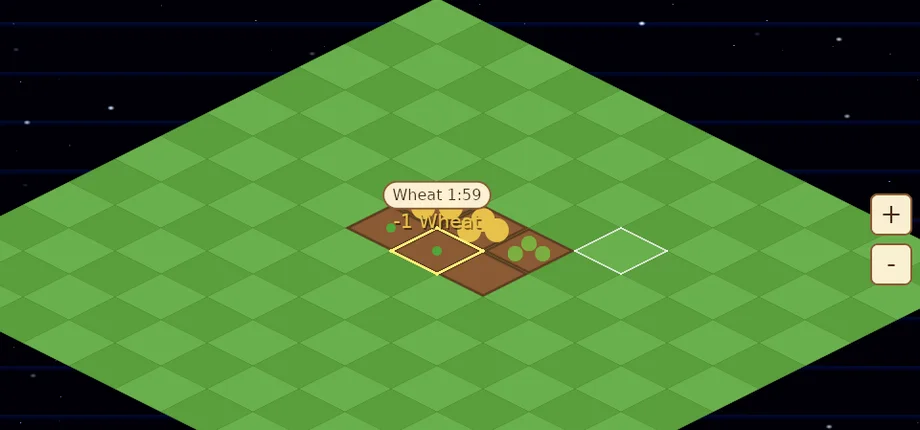
Plant wheat and corn on a little isometric farm, wait for it to grow and swipe the sickle across the field to bring it in. Crops keep growing while the tab is closed. Tap or click a plot, drag to pan, Q and E to zoom.
Farm is a farming game in the style of the mobile farm games: short real-time timers, a barn and levels that unlock new crops. This first version has the crop loop. Buildings, animals, orders and a shop are planned next.
Qlaybit built it on Comet, its own engine written in Rust. The browser build is compiled to WebAssembly and runs with no install, using WebGPU, or WebGL 2 where WebGPU is not available. The save stays in your browser's local storage; nothing is sent to a server.
How to play
You start with six plots of soil in the middle of a 12 by 12 field, 3 wheat and 50 coins. Pick a seed from the bar at the bottom left and tap an empty plot to plant it. Planting uses one crop from the barn. A label over the plot counts down the time left, and the crop changes from a seedling to a growing plant to a ripe one.
When a crop is ripe, pick the sickle and tap the plot. Each harvest puts 2 of that crop in the barn, so one replaces the seed and one is extra, and gives XP. With a seed or the sickle selected you can press and drag across several plots to plant or harvest every plot you pass over.
Wheat takes 2 minutes and gives 1 XP. Corn unlocks at level 2, takes 5 minutes and gives 1 XP. Carrot unlocks at level 5 (10 minutes, 2 XP), soybean at level 7 (20 minutes, 2 XP) and sugarcane at level 9 (30 minutes, 3 XP). Level 2 needs 10 XP, and each level after that needs about 1.5 times as much as the one before, up to level 20.
The barn holds 50 items. A harvest that doesn't fit is refused, so keep planting to make room. Tap the barn counter at the top right to see what is in it. Growth uses real time: a crop planted before you close the tab is ready when you come back, and the farm is saved in your browser after every change.
Controls
- Tap or click a seed or the sickle
- Select it; tap again to put it away
- Tap or click a plot
- Plant the selected seed, or harvest with the sickle
- Press and drag across plots
- Plant or harvest each plot you pass over
- Drag on grass
- Pan the field
- Arrows or WASD
- Pan the field
- Q / E, [ / ], or the + and - buttons
- Zoom out and in
- Barn counter
- Show what is in the barn
- Esc
- Close a menu