
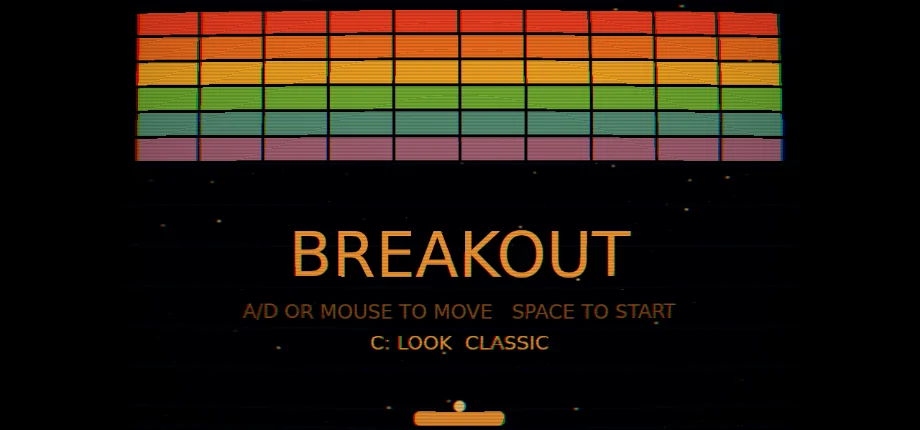
BREAKOUT
by Qlaybit
About
Arcade
Clear the wall of bricks with a bouncing ball. Keys, a gamepad, the mouse or a finger move the paddle.
Breakout is an arcade game built by Qlaybit on Comet, its own engine written in Rust and compiled to WebAssembly. It runs in the browser and needs no install.
The screen shows the score, the level and the number of lives along the top. The game has no opponent. Each level has the same wall of bricks, and the ball gets faster from one level to the next.
How to play
A wall of bricks fills the top of the screen. The ball bounces off the side walls, the top wall, the paddle and the bricks. Each brick the ball hits is removed and adds points to the score. The wall has six rows of ten bricks.
Bricks in higher rows are worth more. A brick in the top row scores 30 points, and a brick in the bottom row scores 5.
The game starts with three lives. When the ball goes past the paddle, one life is lost and the ball is placed back on the paddle. When the last life is lost, the game is over.
Press Space or click to launch the ball. Where the ball lands on the paddle sets its angle. Hits near the edges of the paddle send the ball off at a steeper angle.
When the last brick is cleared, the level goes up and the wall is rebuilt. The ball starts faster on each level, 12 percent faster than the level before, up to a maximum speed. Each brick hit also speeds the ball up by 0.8 percent.
Before the next level, three upgrades out of four are offered. Wide makes the paddle wider. Slow makes the ball slower. Life adds one more life. Pierce lets the ball pass through the next eight bricks without bouncing. Pick one with the keys 1 to 3, or by clicking its card.
Tip: keep the paddle under the ball, because each missed ball costs a life.
Controls
- A / D or arrow keys
- Move the paddle left and right
- Gamepad stick
- Move the paddle
- Mouse or finger
- Move the paddle, when no key or stick is in use
- Space, Enter or click
- Launch the ball, start, or play again
- P, Escape or gamepad Start
- Pause and resume
- 1, 2, 3 or click a card
- Choose an upgrade
- C or gamepad top button
- Change the colour look